![digital-skillstruck-brandmark-white-blue@192x.png]](https://support.skillstruck.com/hs-fs/hubfs/digital-skillstruck-brandmark-white-blue@192x.png?height=40&name=digital-skillstruck-brandmark-white-blue@192x.png)
Last updated - February 5, 2026
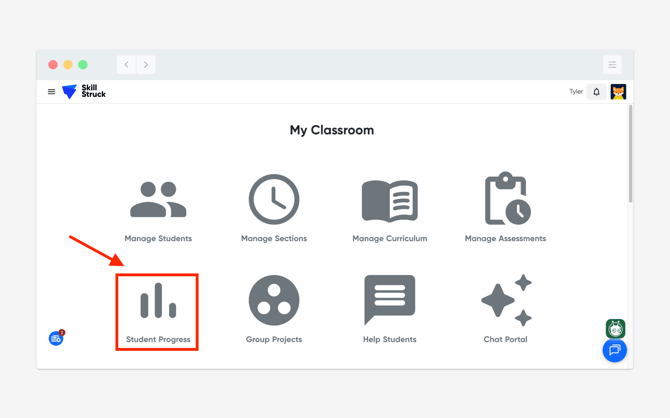
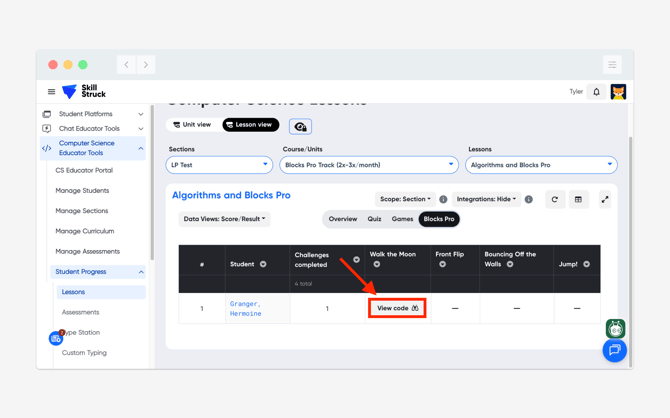
- From your Educator Portal, select Student Progress.
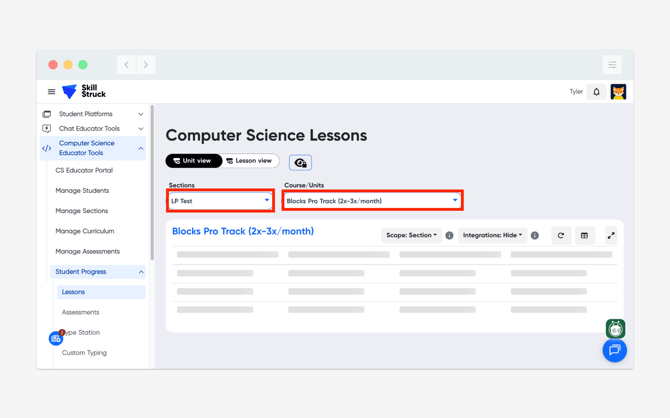
- From the Student Progress page, select the correct Section and Course/Units.
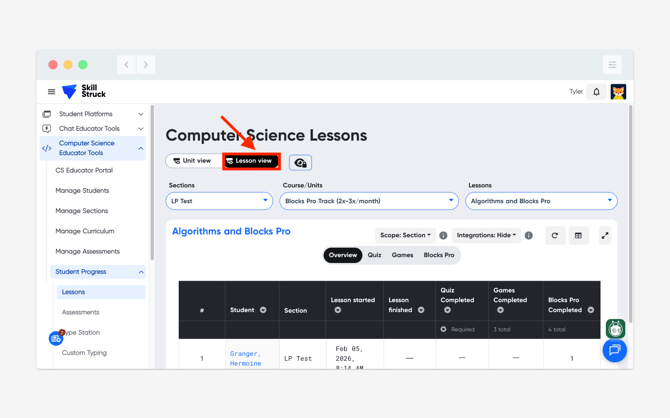
- After the Section and Course/Units have been selected, click on the Lesson view toggle.
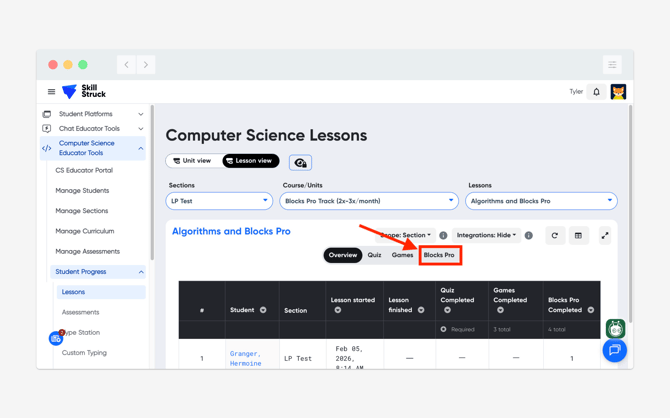
- Then change the view to Blocks Pro.
- Locate the student and click on View code.
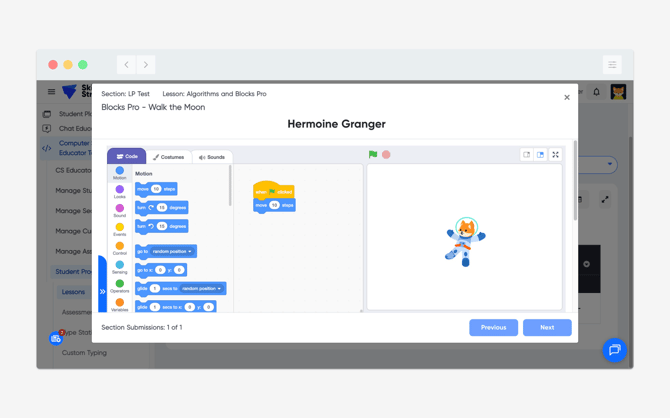
- You will now be able to see the code submission from the student.
These steps can be followed to view Robotics code submissions as well!