![digital-skillstruck-brandmark-white-blue@192x.png]](https://support.skillstruck.com/hs-fs/hubfs/digital-skillstruck-brandmark-white-blue@192x.png?height=40&name=digital-skillstruck-brandmark-white-blue@192x.png)
Last updated - September 29, 2026
Vibe Coding Playground is currently only in the Voyage(6-12) platform. The languages included are currently HTML, CSS, and JavaScript.
- To access the Vibe Coding Playground, from landing page click on Playgrounds.
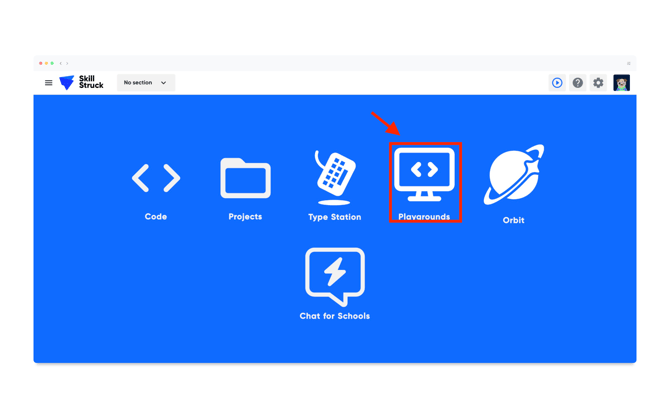
- From the Playgrounds page, click on Vibe Coding Playground.
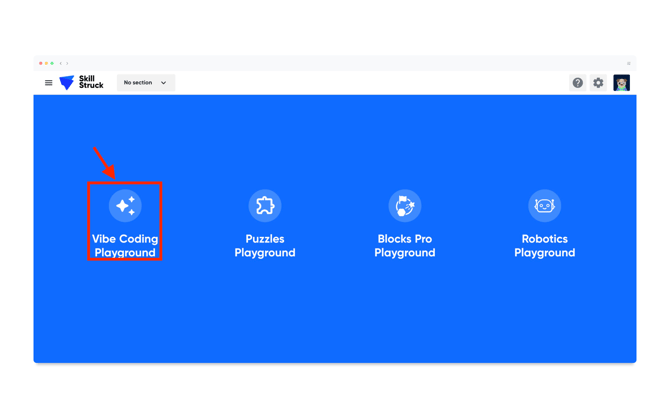
- From the Vibe Coding Playground, click New project.
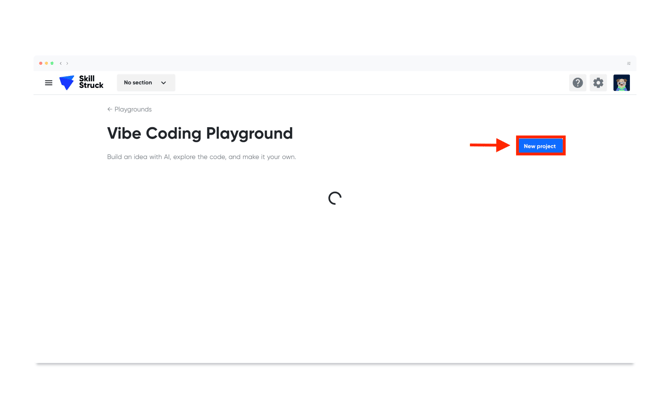
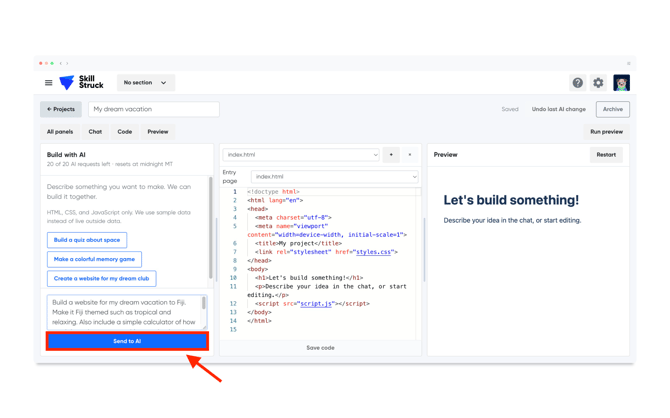
- At the top of the page, name your project. Once your project has been named, then interact with AI by prompting what you would like it to build.
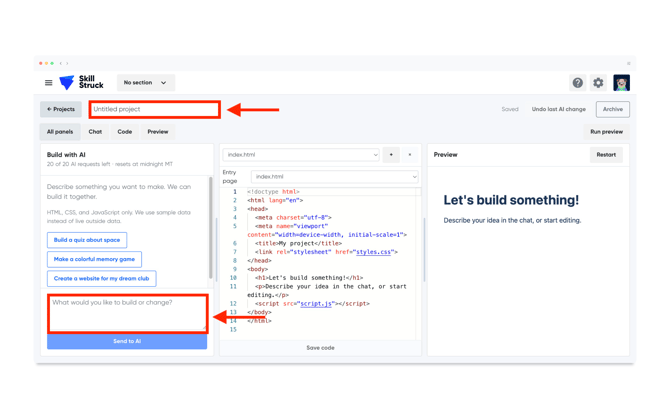
- Once the prompt has been filled out, click the Send to AI button.
- After the request has been processed, AI will give a description of what it has done, located under your request. The corresponding code will also be updated. If it does not meet your expectation, click the Undo last AI change button.
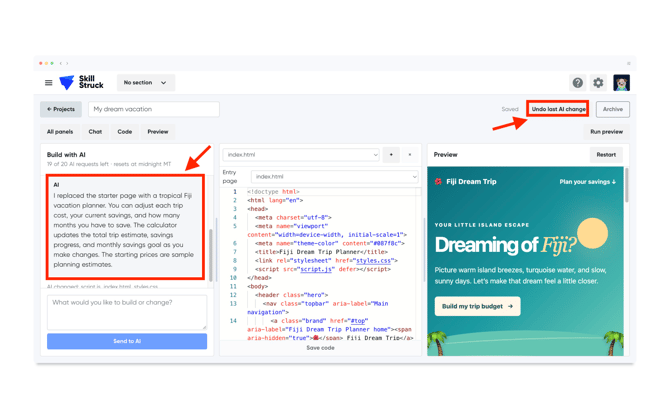
Note: When building with AI, there are a set number of requests (20) allowed per day. They will reset at midnight Mountain Time.