![digital-skillstruck-brandmark-white-blue@192x.png]](https://support.skillstruck.com/hs-fs/hubfs/digital-skillstruck-brandmark-white-blue@192x.png?height=40&name=digital-skillstruck-brandmark-white-blue@192x.png)
Last updated - April 2, 2026
At this time, this can only be applied to our Voyage curriculum quizzes.
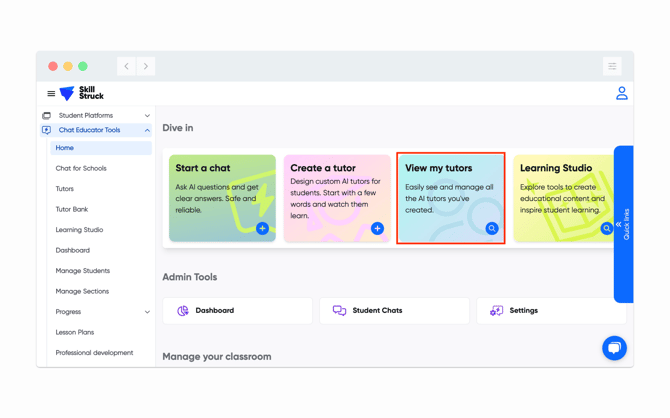
- From your Educator Portal, click on Manage Curriculum.
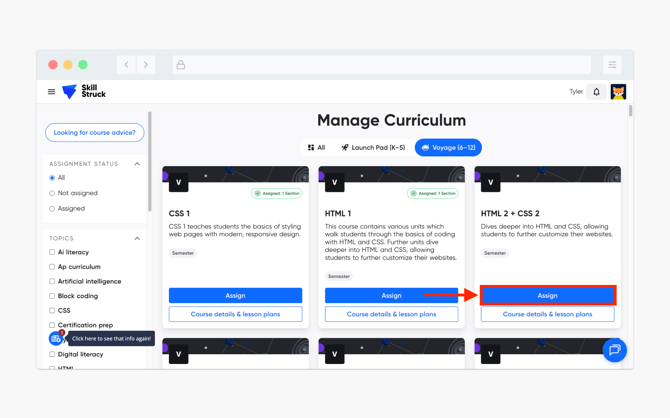
- Select the appropriate Voyage curriculum and click Assign.
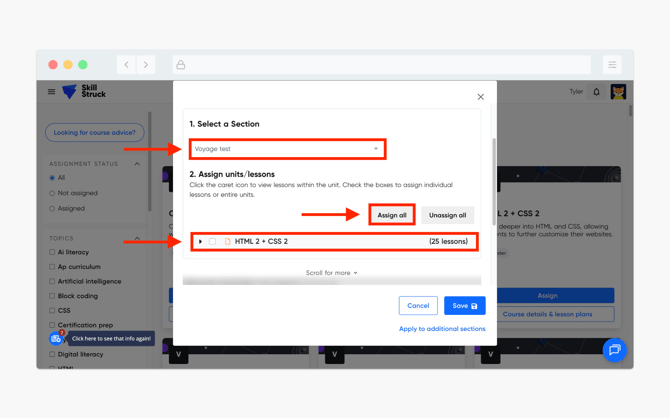
- Select the section to assign and the lessons (click Assign all or select individual lessons).
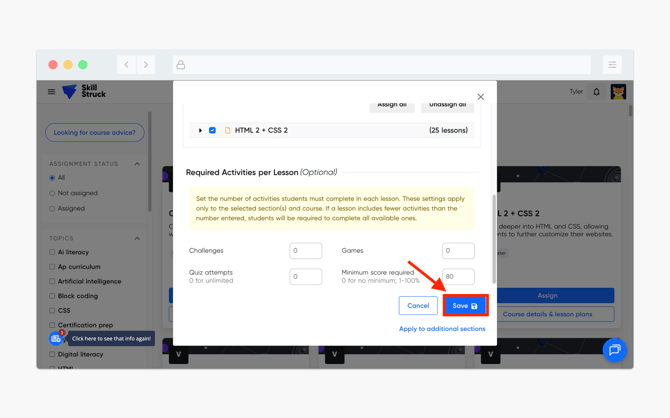
- Scroll down to Required Activities per Lesson and enter in a quiz score between 1 and 100 in the Minimum score required field. (Default is set to 0, meaning no required minimum score).
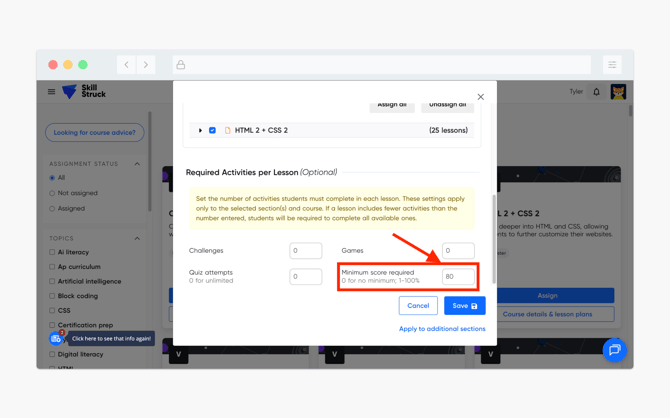
- After Minimum score required is set, click Save.
For more information on setting required activities, please follow this article.