![digital-skillstruck-brandmark-white-blue@192x.png]](https://support.skillstruck.com/hs-fs/hubfs/digital-skillstruck-brandmark-white-blue@192x.png?height=40&name=digital-skillstruck-brandmark-white-blue@192x.png)
Last updated - June 30, 2026
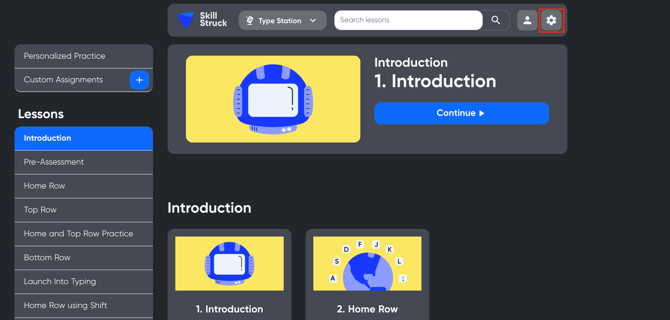
1. On the Type Station main page, click on the gear icon in the top right.
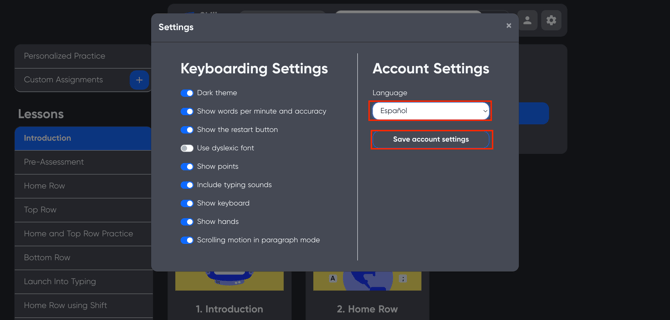
2. On the Settings page, click on the "Language" drop-down and change from English to Spanish. Then click "Save account settings".
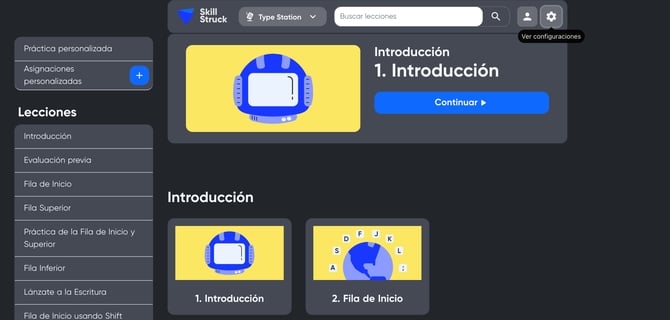
3. The language has now been successfully updated to Spanish!