![digital-skillstruck-brandmark-white-blue@192x.png]](https://support.skillstruck.com/hs-fs/hubfs/digital-skillstruck-brandmark-white-blue@192x.png?height=40&name=digital-skillstruck-brandmark-white-blue@192x.png)
Last updated - September 22, 2026
HTML Projects can be assigned in the HTML 1 course under unit 2. This guide will show you how to locate and assign those projects.
FYI, if changes are made while students are logged in, the students will need to log out and back in to see changes reflected.
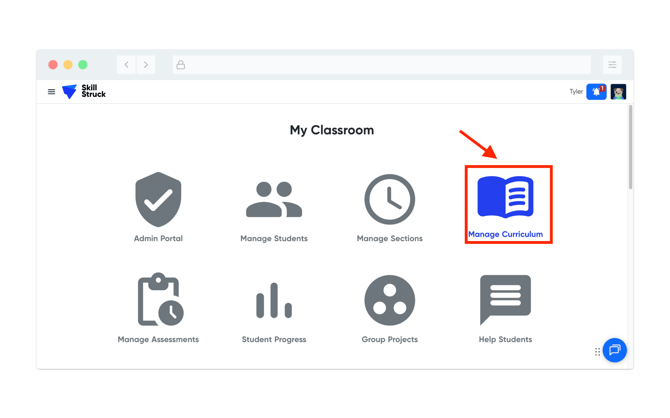
- From your Educator Portal, click on Manage Curriculum.
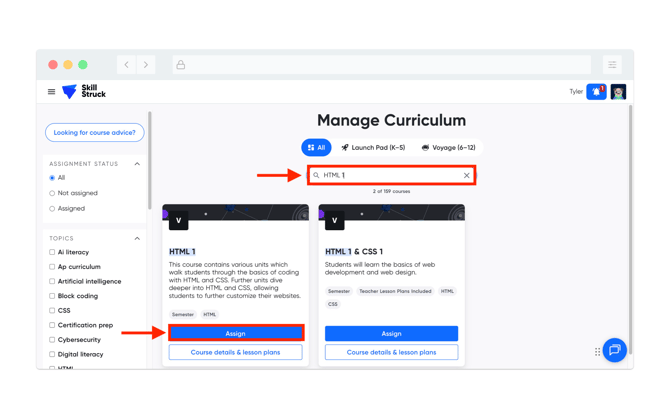
- From the Manage Curriculum page, search HTML 1 in the search bar, and then click Assign.
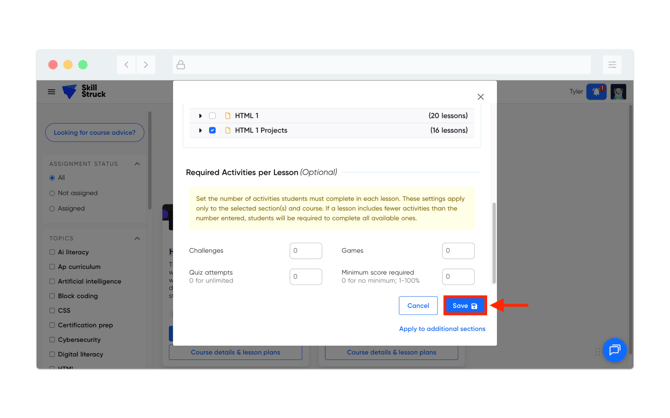
- From the course assignment page, select the section you need to assign the HTML Projects to. Then under the Assign units/lessons section locate HTML 1 Projects and assign (there is an option to assign all or select the projects you wish to assign).
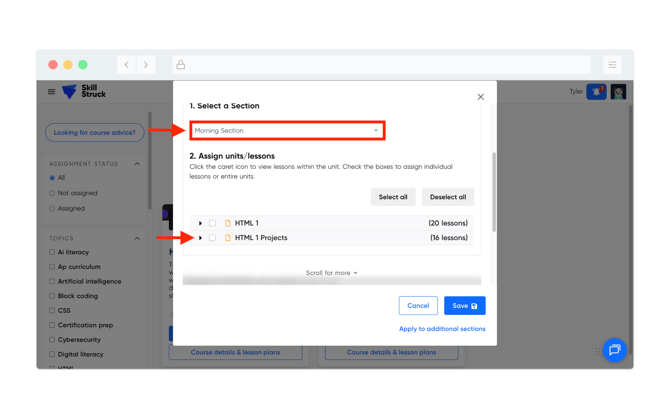
- After selecting the appropriate HTML projects, click Save.
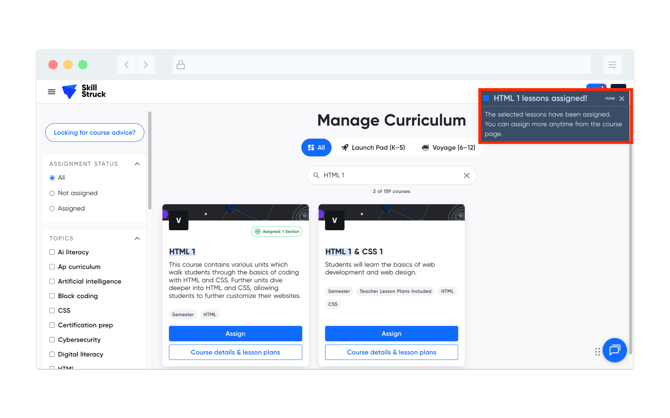
- Upon successful completion a notification will appear in the top right of your page.