![digital-skillstruck-brandmark-white-blue@192x.png]](https://support.skillstruck.com/hs-fs/hubfs/digital-skillstruck-brandmark-white-blue@192x.png?height=40&name=digital-skillstruck-brandmark-white-blue@192x.png)
Last updated - March 25, 2026
After progress has been completed on a third-party application, it is no longer connected to Skill Struck (except for Custom Assessments). Meaning that work completed will not be viewable in Skill Struck, it would need to be viewed in the third-party application.
Progress will not be shown in the Student Progress section in your Educator Portal for assignments exported and completed outside of Skill Struck. The progress will instead show in the LMS where you have uploaded a Skill Struck assignment.
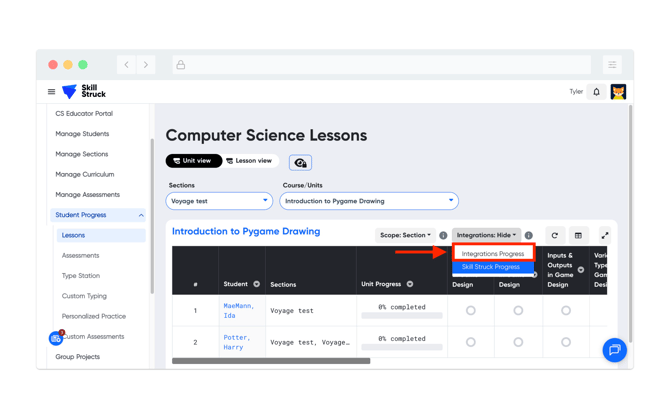
To view the integration progress in the Educator Portal. Click on Student Progress, select the Integrations drop down, and click on Integrations Progress.