![digital-skillstruck-brandmark-white-blue@192x.png]](https://support.skillstruck.com/hs-fs/hubfs/digital-skillstruck-brandmark-white-blue@192x.png?height=40&name=digital-skillstruck-brandmark-white-blue@192x.png)
Last updated - August 7, 2026
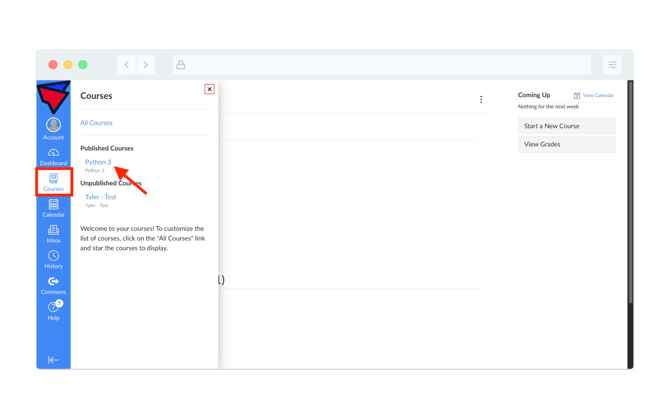
- From your Canvas Dashboard, click on Courses and then click on the course of your choice.
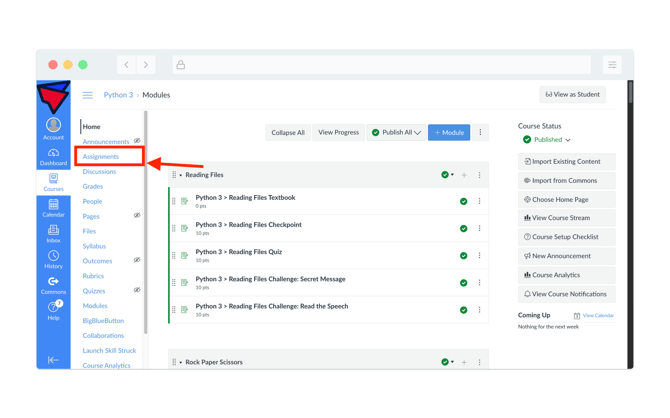
- Once the appropriate course has been selected, click on Assignments on the left-hand side.
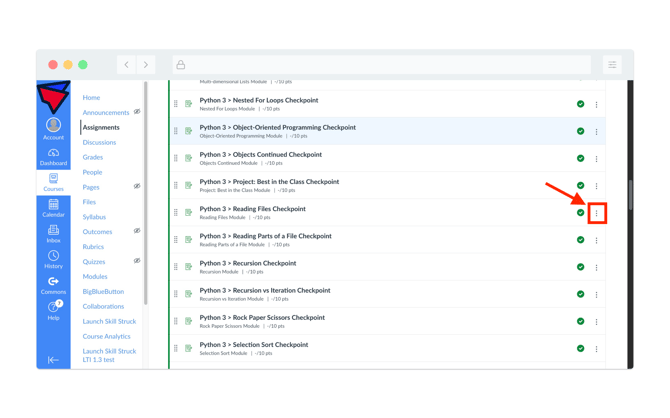
- From the Assignment page, locate the assignment, click the three vertical dots on the far right-hand side, and click on SpeedGrader.
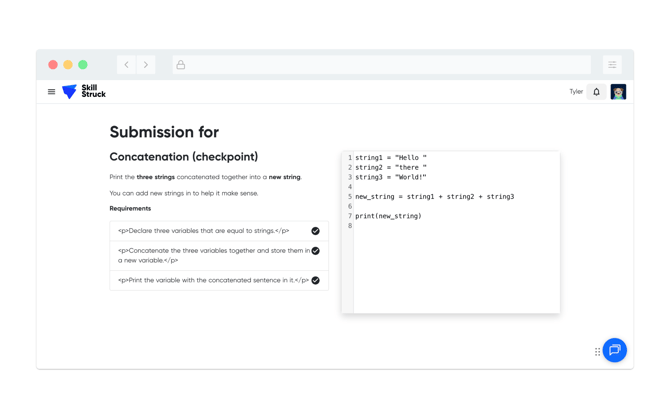
- A view of the student's code submission will be viewable, similar to the image below.