![digital-skillstruck-brandmark-white-blue@192x.png]](https://support.skillstruck.com/hs-fs/hubfs/digital-skillstruck-brandmark-white-blue@192x.png?height=40&name=digital-skillstruck-brandmark-white-blue@192x.png)
Last updated - June 5, 2026
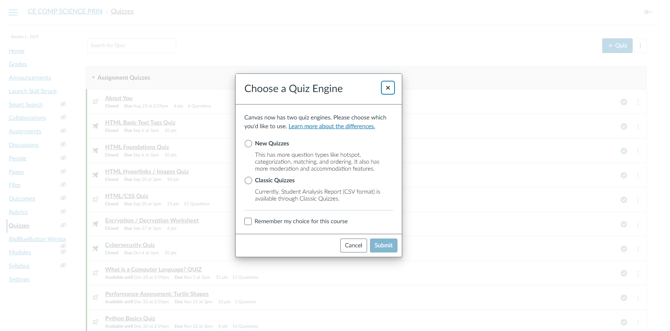
Canvas is still ironing out bugs in the New Quiz method, which is why we recommend to import the Classic Quiz.
Our suggestion is to continue using the Classic Quizzes option via Canvas. However, if you would like to upload as a New Quiz, here are the steps on how to upload to Canvas.
- Upload content as a Classic Quiz first.
- Go to the quizzes navigation tab.
- Click the 3 dots on the right.
- Click Migrate.
This will now change your Classic Quiz to a New Quiz!