![digital-skillstruck-brandmark-white-blue@192x.png]](https://support.skillstruck.com/hs-fs/hubfs/digital-skillstruck-brandmark-white-blue@192x.png?height=40&name=digital-skillstruck-brandmark-white-blue@192x.png)
Last updated - June 1, 2026
Highly recommended to complete a micro:bit Robotics track course prior to starting this course. This course also requires the use of a physical micro:bit device(NeoPixel Ring, Cutebot, and Maqueen).
Educators can assign lessons based on devices in classroom. To limit lessons please follow this article on how to assign selected curriculum.
After assigning the micro:bit Robotics Track Extension course the students must download the corresponding extension for the device mentioned in the lessons. To do so, please follow these steps.
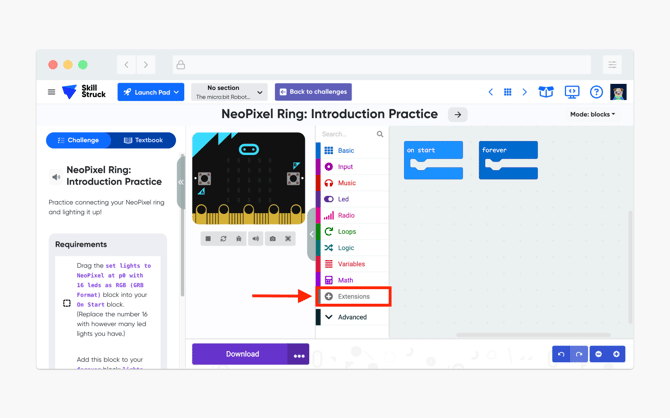
- From a Robotics challenge, click on the Extensions tab.
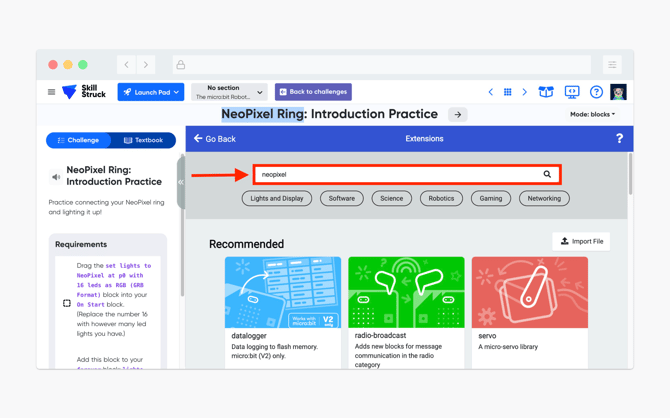
- This will bring up the Extension search list. Type the name of the device that you are using, in this case, NeoPixel Ring and hit Enter .
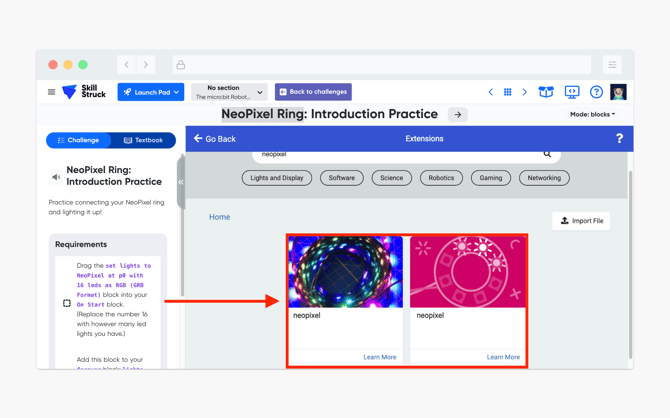
- Click either of the neopixel extensions.
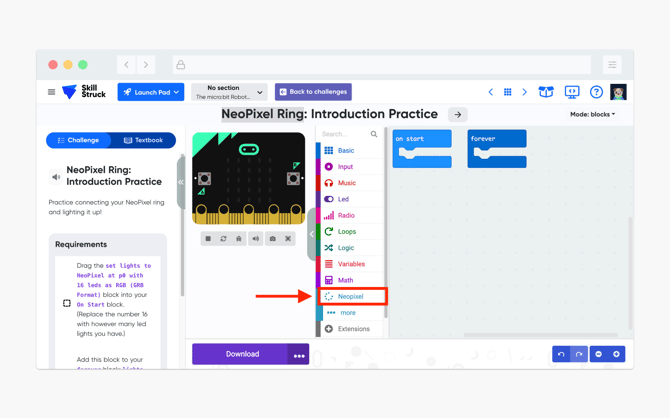
- After a successful download, you will be redirected to the Challenge main page and the selected extension will now appear.