![digital-skillstruck-brandmark-white-blue@192x.png]](https://support.skillstruck.com/hs-fs/hubfs/digital-skillstruck-brandmark-white-blue@192x.png?height=40&name=digital-skillstruck-brandmark-white-blue@192x.png)
Last updated - June 9, 2026
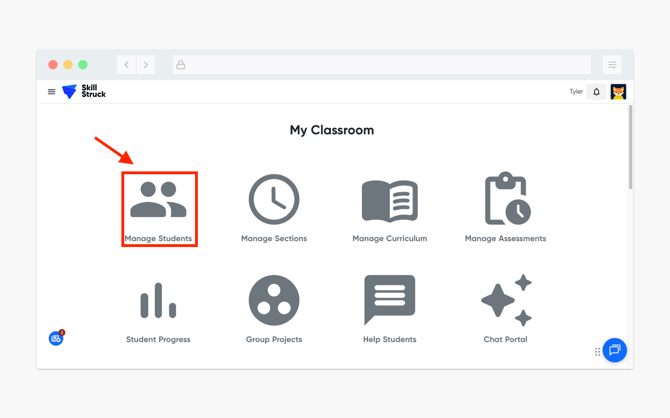
- From your Educator Portal, navigate to and click Manage Students.
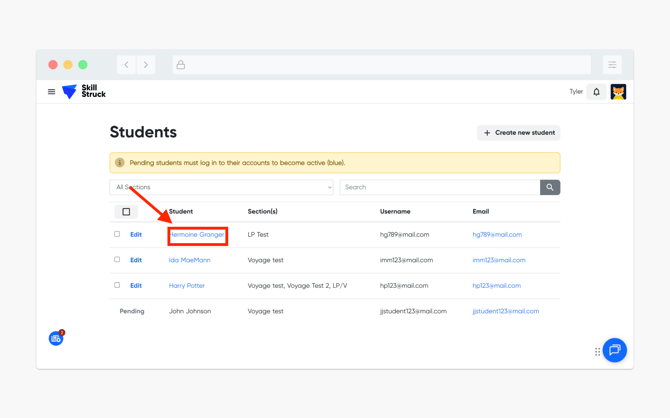
- Locate the student and click on their name.
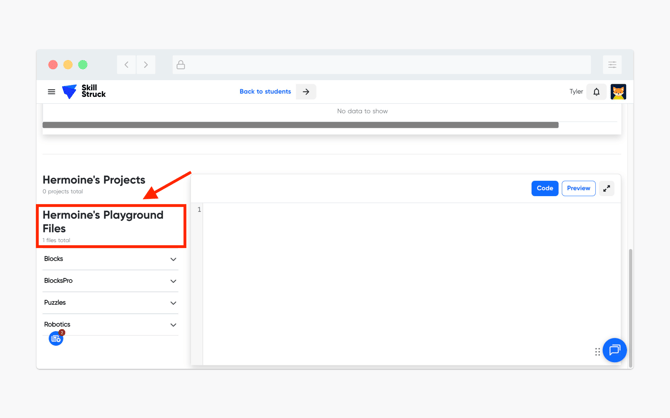
- On the student's information page, scroll down and locate the Playground Files tab.
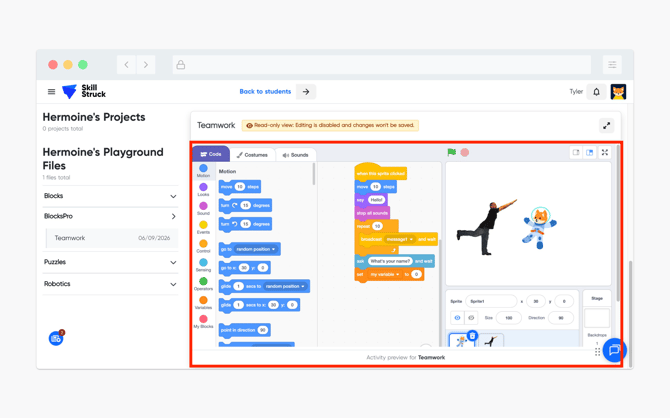
- Locate the correct file under the tabs of Blocks, BlocksPro, Puzzles, or Robotics and click on the appropriate file name you are wanting to view.
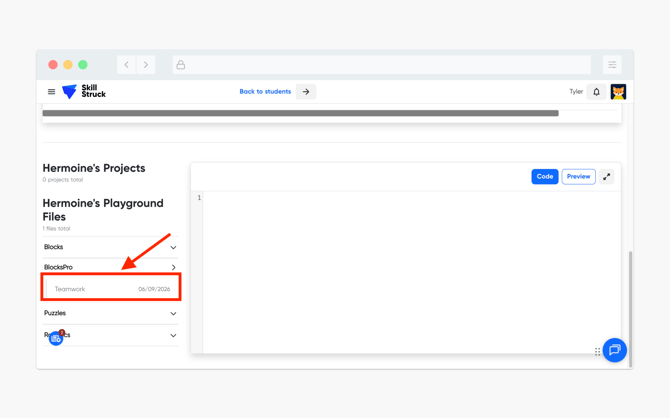
- The selected file will appear in a read-only format on the right side of the file list.