![digital-skillstruck-brandmark-white-blue@192x.png]](https://support.skillstruck.com/hs-fs/hubfs/digital-skillstruck-brandmark-white-blue@192x.png?height=40&name=digital-skillstruck-brandmark-white-blue@192x.png)
Last updated - March 16, 2026
From Student Progress, clicking on the Eye icon will unlock the view of hidden courses (curriculum that is not assigned). By toggling on this view, you are able to see progress completed from different curriculum that the student has completed.
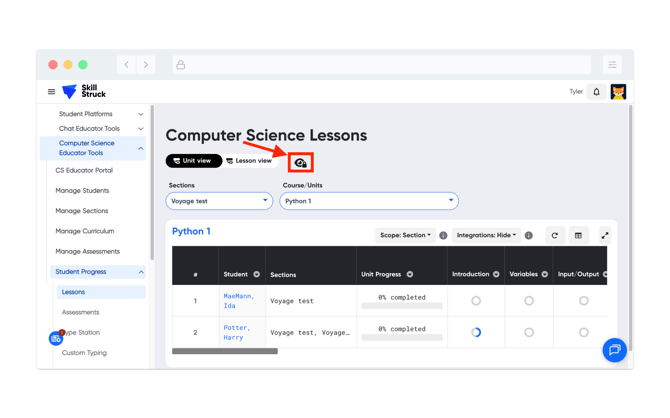
After clicking the icon, this will show all of the courses offered and progress can be checked per course.