![digital-skillstruck-brandmark-white-blue@192x.png]](https://support.skillstruck.com/hs-fs/hubfs/digital-skillstruck-brandmark-white-blue@192x.png?height=40&name=digital-skillstruck-brandmark-white-blue@192x.png)
Last updated - May 13, 2026
Dashboard View
-
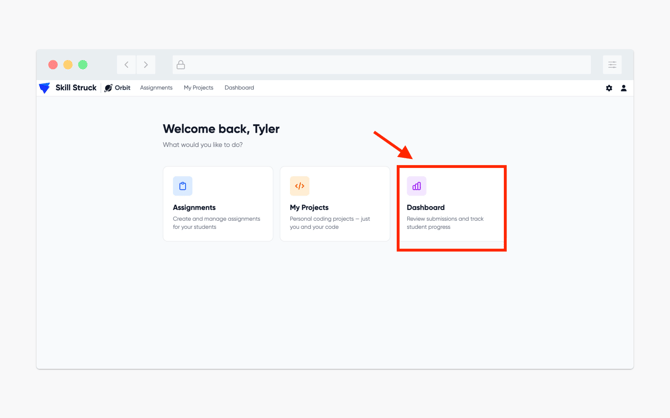
From the Orbit homepage, click on Dashboard.
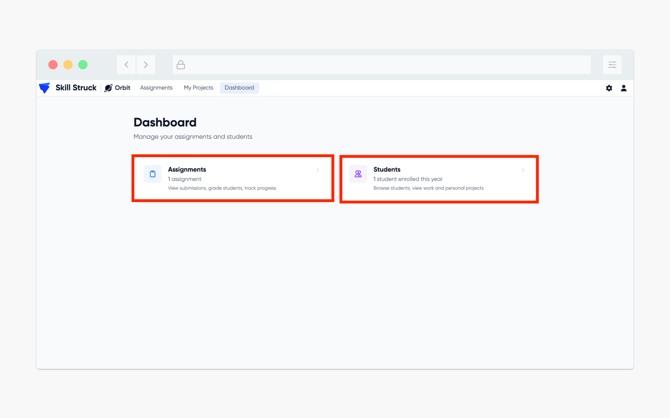
- On the Dashboard view there are two clickable options, Assignments and Students.
- In the Assignments section, it will show all created assignments. You will also be able to view if the assignment is published or un-published. Also the number of students that have accessed the assignment, how many have submitted, and how many have been graded.
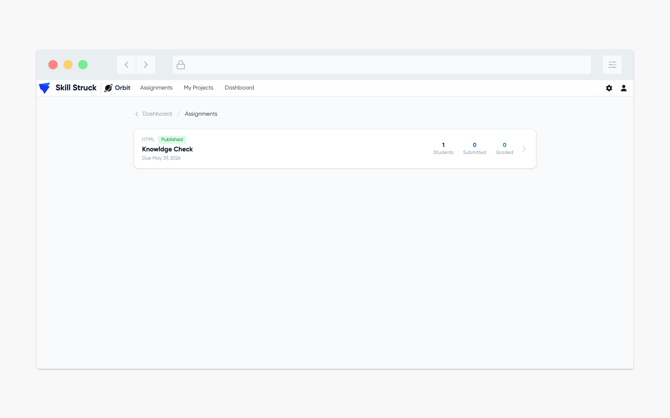
- Clicking on the specific assignment will give a more detailed breakdown of that information listed above.
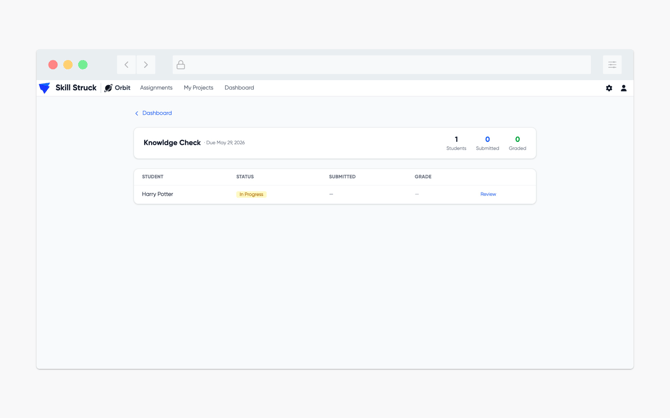
- Heading back to the Orbit homepage and clicking on Students will show the students that have copied the generated assignment link and have opened the assignment.
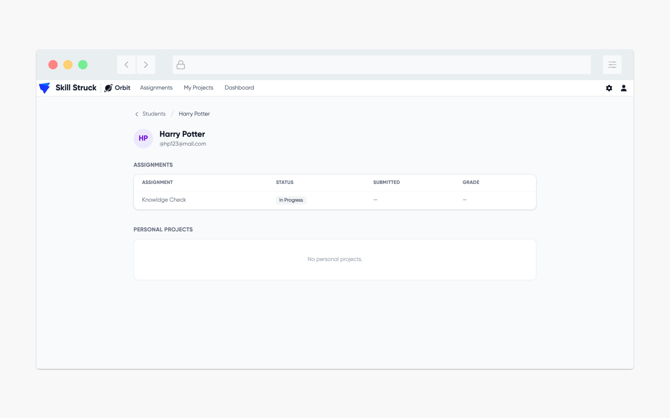
- Clicking on a specific student will provide additional information such as the status of an individual assignment, whether that assignment has been submitted, and if the assignment has been graded. On the student view it will also show if they have any current projects.