![digital-skillstruck-brandmark-white-blue@192x.png]](https://support.skillstruck.com/hs-fs/hubfs/digital-skillstruck-brandmark-white-blue@192x.png?height=40&name=digital-skillstruck-brandmark-white-blue@192x.png)
Last updated - April 13, 2026
At this time, the AI Quiz Insights is only available for quizzes completed in Voyage.
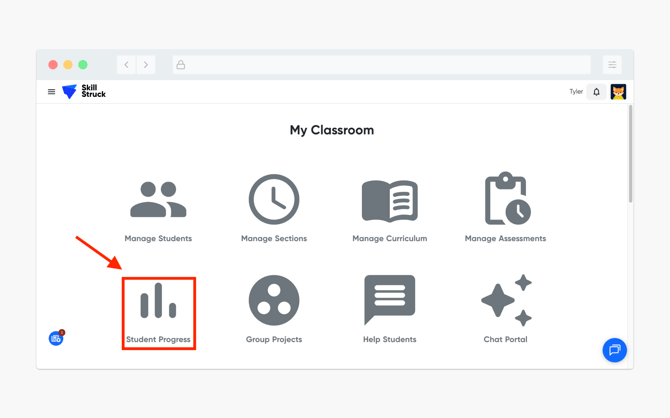
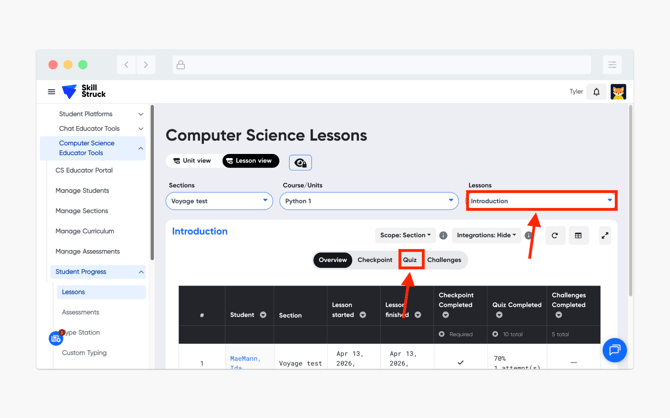
- From your Educator Portal, navigate to and click on Student Progress.
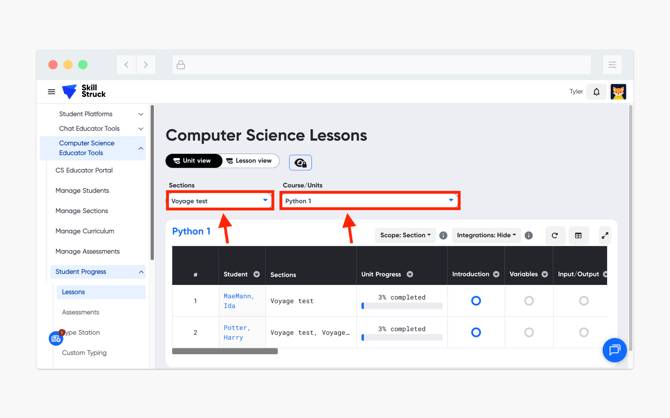
- From the Student Progress page, select the correct Section and Course/Unit.
- After the correct Section and Course/Unit has been selected, click on the Lesson view.
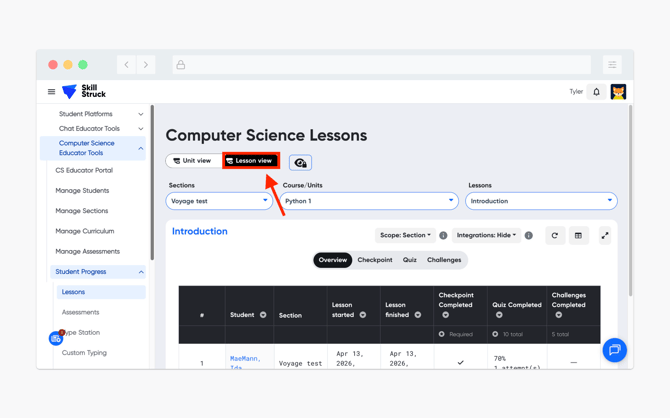
- Then select the correct Lesson and click on the Quiz view.
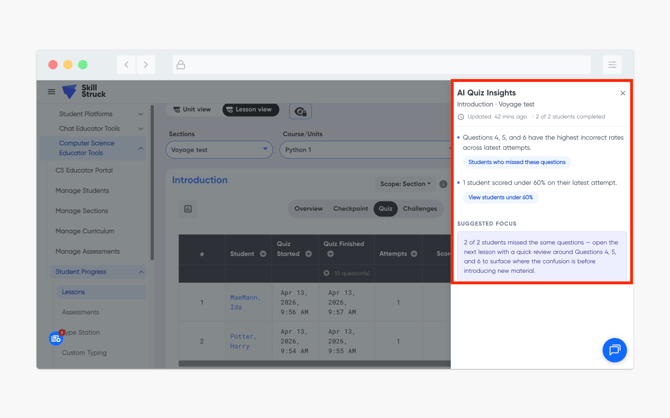
- After toggling to the Quiz view, click on the AI Quiz Insights button.
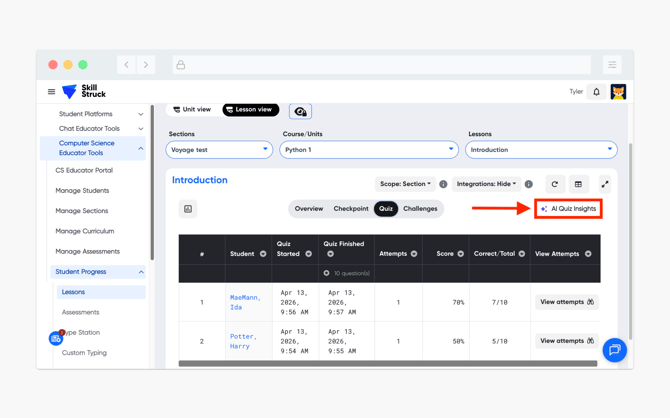
- The AI Quiz Insights can provide data that is dependent on quizzes taken from the students. This can include information such as quiz questions that were commonly missed, students who received less than 60% on the quiz, and a Suggested Focus tip.