![digital-skillstruck-brandmark-white-blue@192x.png]](https://support.skillstruck.com/hs-fs/hubfs/digital-skillstruck-brandmark-white-blue@192x.png?height=40&name=digital-skillstruck-brandmark-white-blue@192x.png)
Last updated - November 16, 2026
Please note that this applies only to districts with access to the Vibe Coding Playground. If you’re unsure whether your district has access, feel free to check with your district admin or your Customer Success Manager.
If your district already has access to the Vibe Coding Playground, use this article to get your students started.
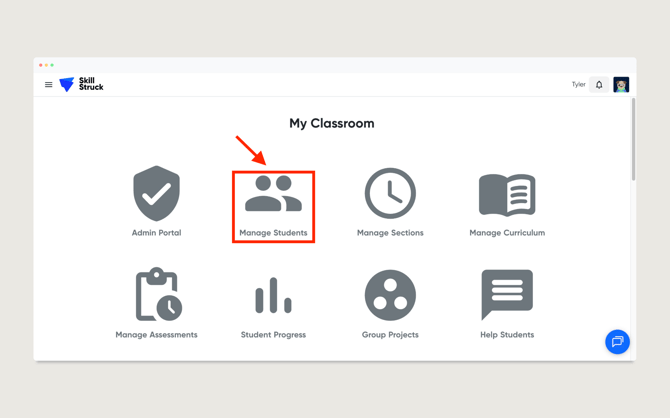
- From your Educator Portal, click on Manage Students.
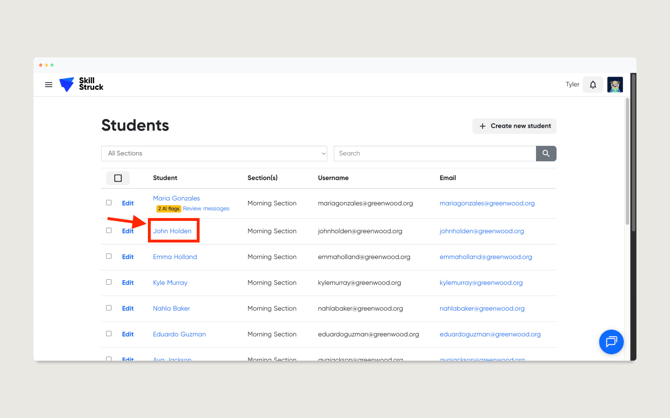
- Locate a student and click on their name.
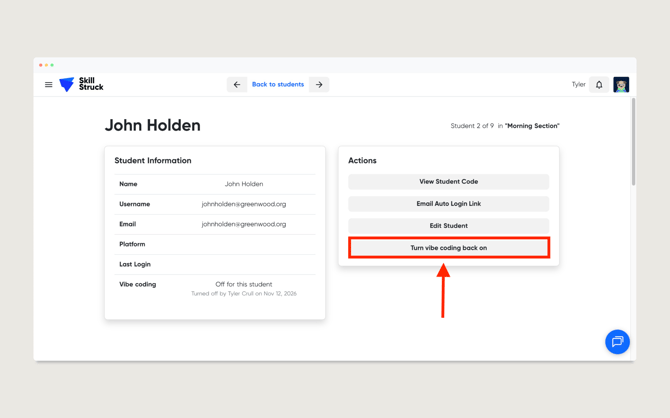
- On the student's page, under the Actions section click on Turn vibe coding back on.
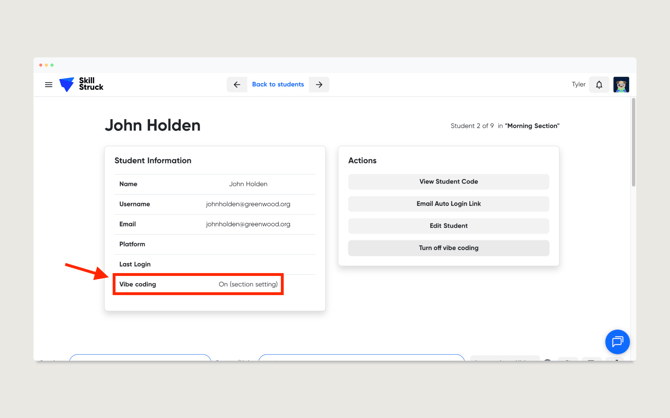
- Once the action has been completed, Vibe Coding will show as On for the student.