![digital-skillstruck-brandmark-white-blue@192x.png]](https://support.skillstruck.com/hs-fs/hubfs/digital-skillstruck-brandmark-white-blue@192x.png?height=40&name=digital-skillstruck-brandmark-white-blue@192x.png)
Last updated - June 30, 2026
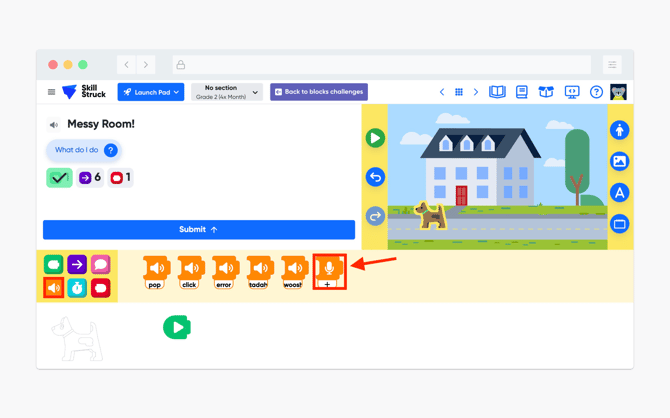
- In a Blocks activity, select the Sound Block, then drag and drop a Microphone Block into the sequence.
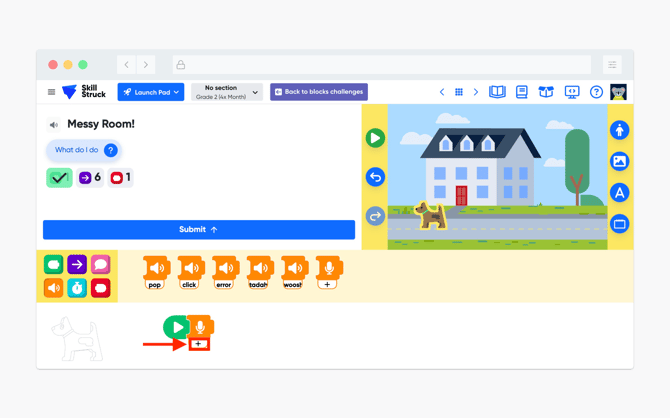
- Under the Microphone Block, click on the + sign.
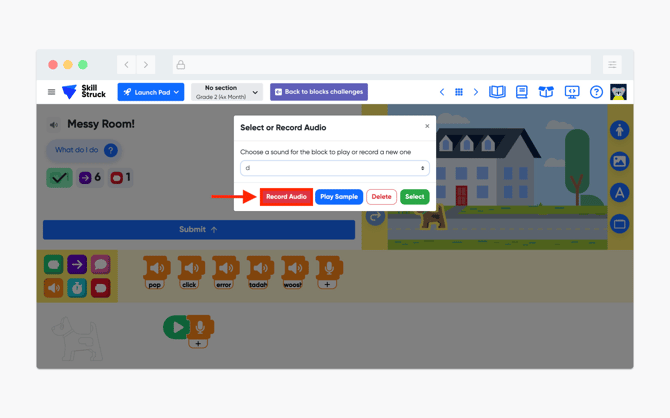
- A pop-up window will appear and provide options to Record Audio or Play Sample (previously recorded audio). Select Record Audio.
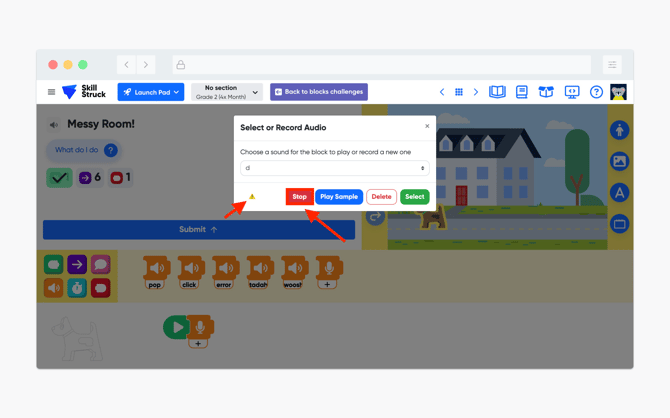
- While recording, a yellow triangle icon will appear on the pop-up window. When you are ready to stop recording, click on Stop.
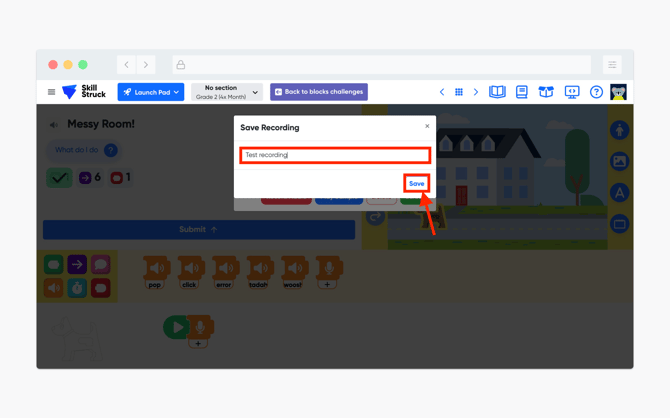
- Then name your recording and click Save.
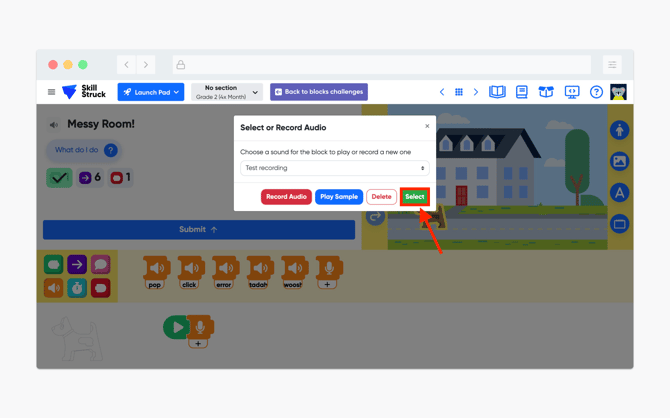
- Then select the recorded audio from the drop down and click Select.
- Now when running your code you will be able to hear your audio!