![digital-skillstruck-brandmark-white-blue@192x.png]](https://support.skillstruck.com/hs-fs/hubfs/digital-skillstruck-brandmark-white-blue@192x.png?height=40&name=digital-skillstruck-brandmark-white-blue@192x.png)
Last updated - March 2, 2026
For more Type Station setting questions, please follow this article.
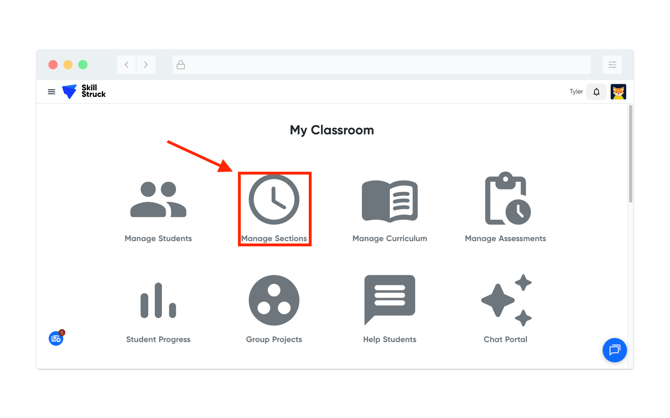
- From your Educator Portal, navigate to Manage Sections.
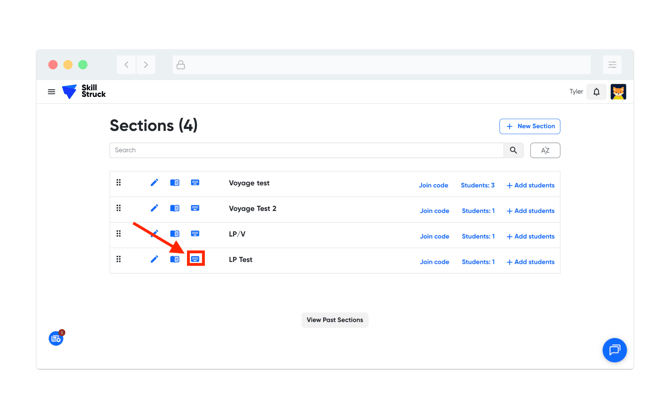
- Select the section that you would like to update and click on the keyboard icon next to the section.
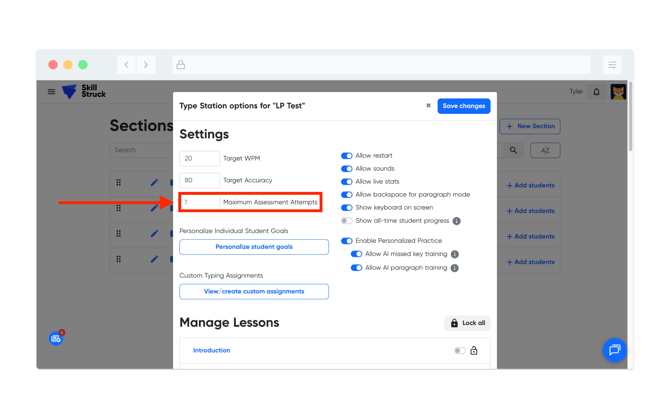
- From the Type Station Settings page, change the Maximum Assessment Attempts to the desired number of attempts(default is 1 attempt).
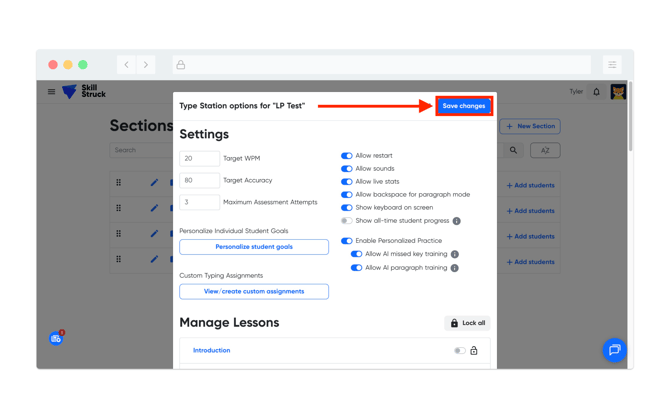
- After updating the Maximum Assessment Attempts amount, click Save.
If these changes are made while the student is logged in. Please have them log out and back in to reflect the new Maximum Assessment Attempt amount.