![digital-skillstruck-brandmark-white-blue@192x.png]](https://support.skillstruck.com/hs-fs/hubfs/digital-skillstruck-brandmark-white-blue@192x.png?height=40&name=digital-skillstruck-brandmark-white-blue@192x.png)
Last updated - April 7, 2026
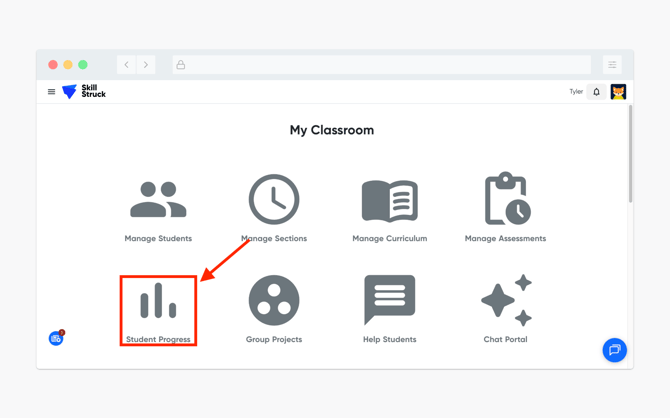
- From your Educator Portal, navigate to Student Progress.
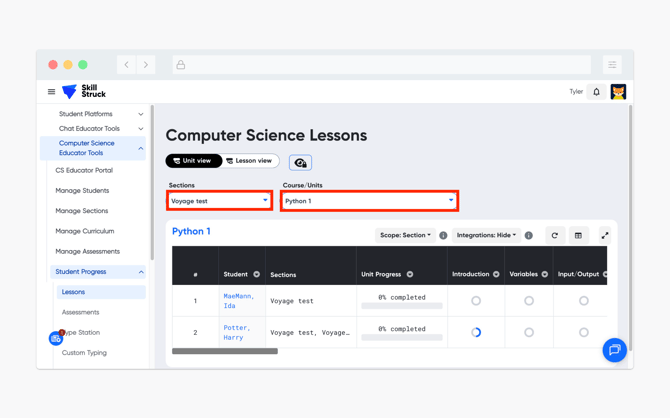
- Select the correct Section and Course/Unit from the appropriate drop downs.
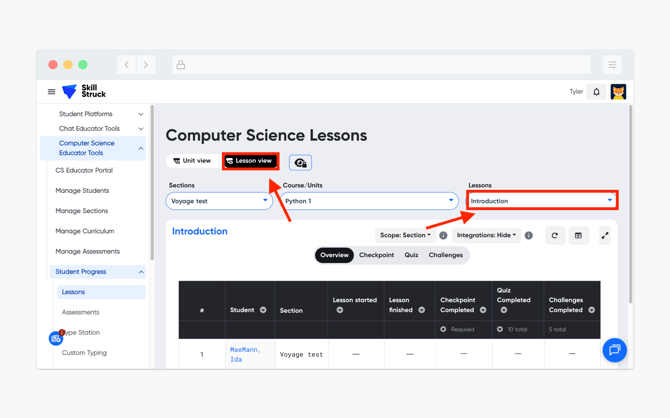
- Click the Lesson view on the top of the page and select the correct lesson from the drop down.
- Select the appropriate activity type (Checkpoint or Challenges) for the code you are looking to view.
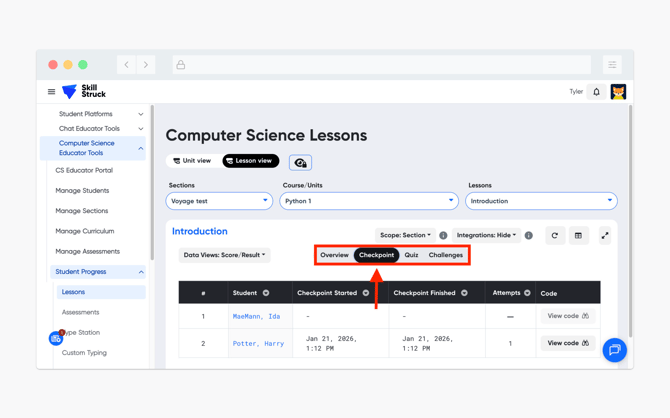
- Locate the correct student and click on View code.
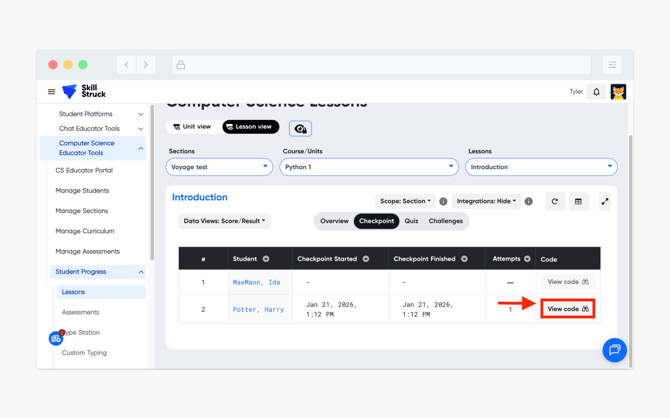
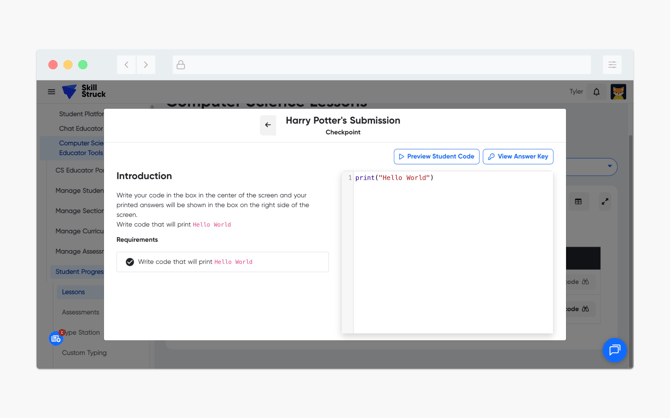
- The student's submitted code will appear in the terminal on the right-hand side. Above the submitted code there will be options to Preview Student Code and View Answer Key.