![digital-skillstruck-brandmark-white-blue@192x.png]](https://support.skillstruck.com/hs-fs/hubfs/digital-skillstruck-brandmark-white-blue@192x.png?height=40&name=digital-skillstruck-brandmark-white-blue@192x.png)
Last updated - August 17, 2026
This can be done when assigning curriculum, in the Manage Curriculum area. For more information on how to do that, please follow this article.
Yes, you can from the Manage Curriculum area! Please follow the steps below:
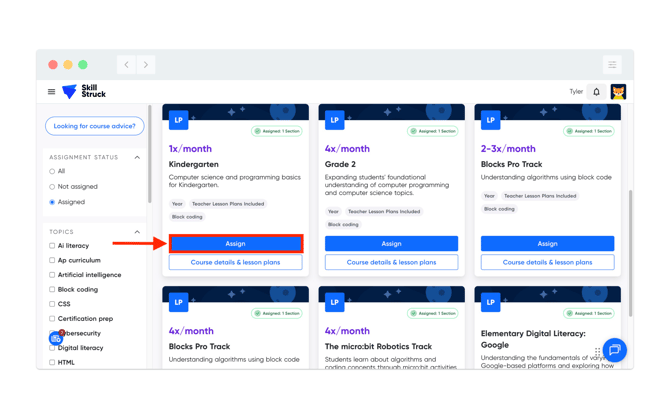
- From Manage Curriculum, locate the course you would like to assign and click Assign.
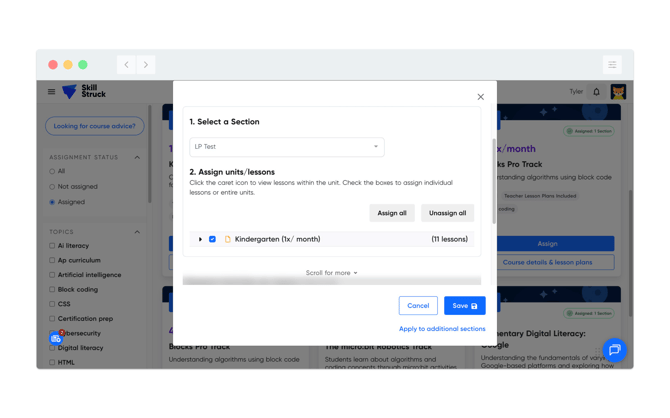
- Select a section and the lessons you would like to assign.
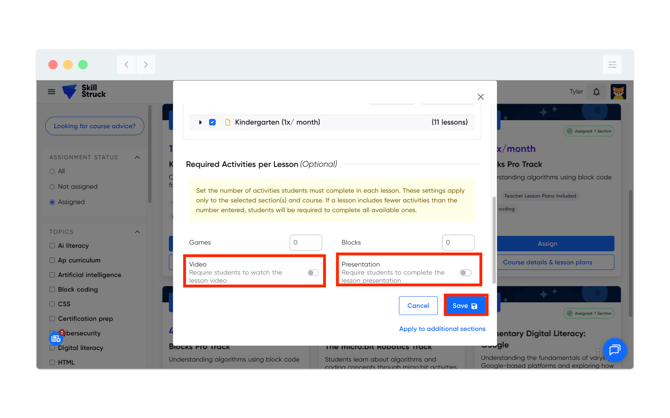
- Scroll down to the Required Activities per Lesson section and toggle off the Video and Presentation settings. Then click Save.