![digital-skillstruck-brandmark-white-blue@192x.png]](https://support.skillstruck.com/hs-fs/hubfs/digital-skillstruck-brandmark-white-blue@192x.png?height=40&name=digital-skillstruck-brandmark-white-blue@192x.png)
Last updated - August 26, 2026
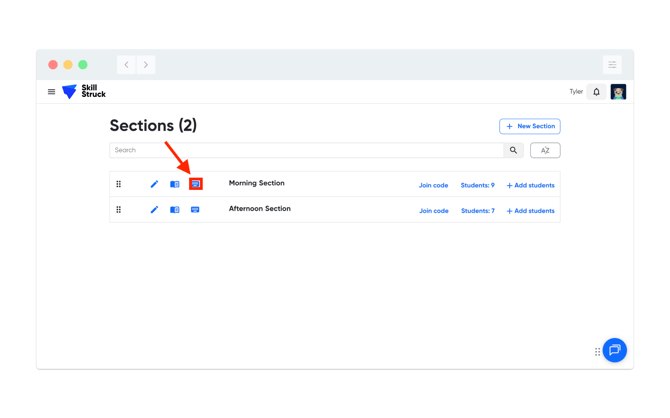
- From your Manage Sections page, click the Keyboard icon next to a section.
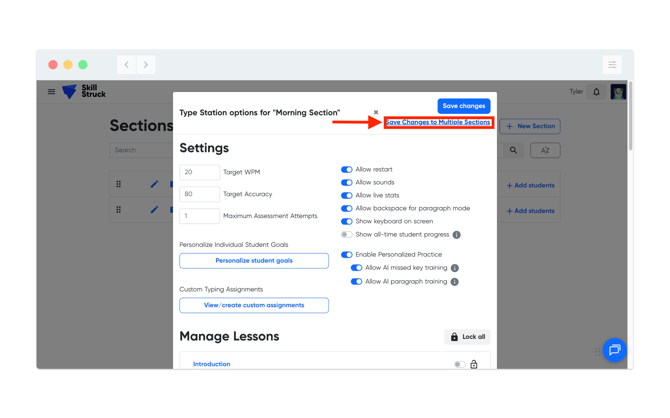
- Apply the settings as needed to your section, then click Save Changes to Multiple Sections.
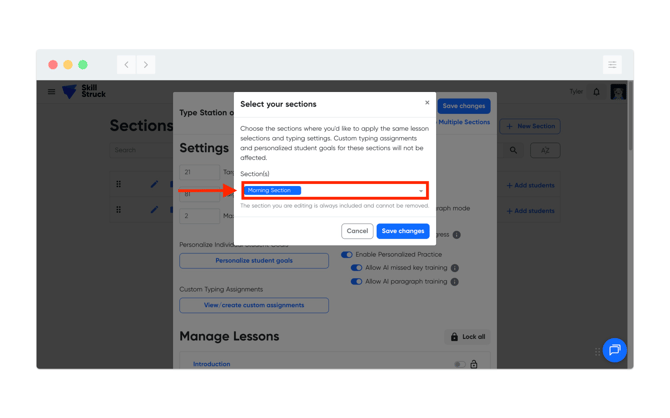
- From the Select your sections page, click on the Section(s) dropdown. By default the section that appears is the current section, select additional sections to modify.
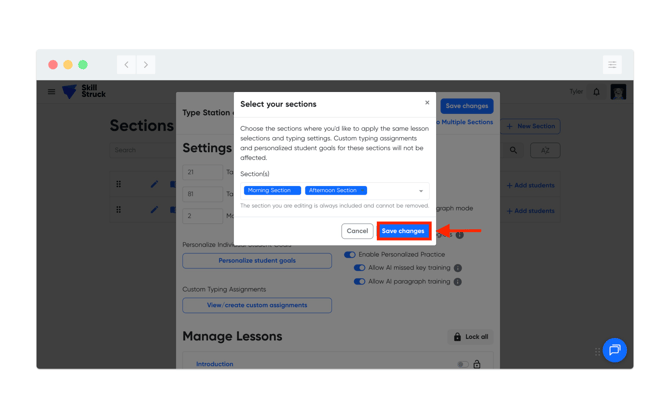
- Once additional sections have been added, click Save changes.