![digital-skillstruck-brandmark-white-blue@192x.png]](https://support.skillstruck.com/hs-fs/hubfs/digital-skillstruck-brandmark-white-blue@192x.png?height=40&name=digital-skillstruck-brandmark-white-blue@192x.png)
Last updated - August 24, 2026
Before adjusting these settings, please follow this article to add a curriculum.
After following the steps in the mentioned article above (selecting section and assigning curriculum) scroll down to the Required Activities per Lesson area.
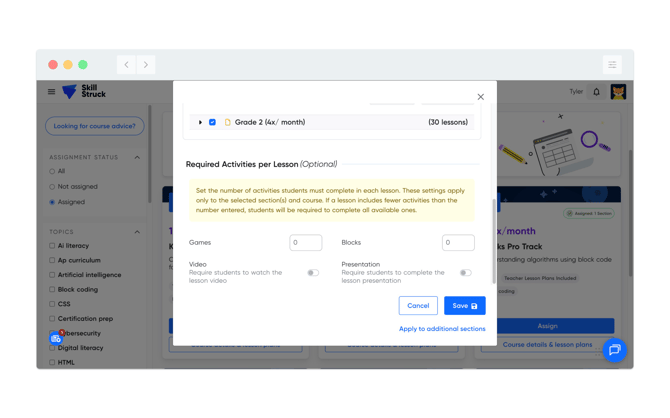
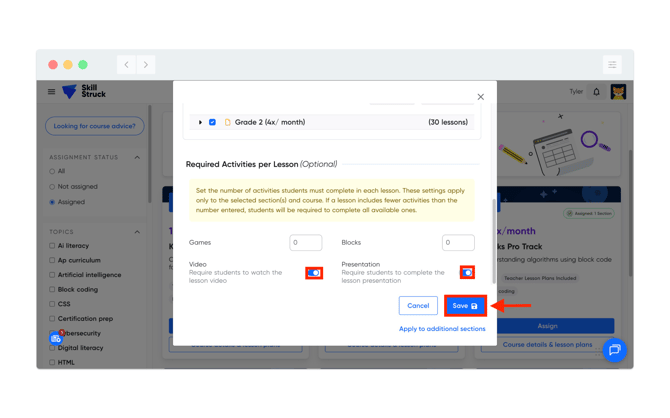
Use the toggle(s) to turn off/on the Video or Presentation settings and then click Save.
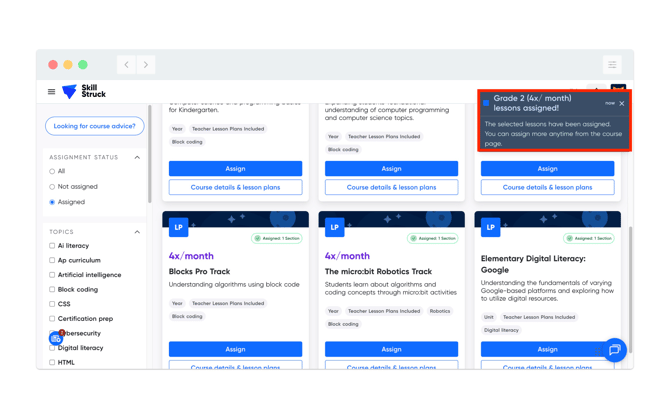
Once completed, a notification will appear in the top right of your screen that the curriculum and applied settings have been assigned.