![digital-skillstruck-brandmark-white-blue@192x.png]](https://support.skillstruck.com/hs-fs/hubfs/digital-skillstruck-brandmark-white-blue@192x.png?height=40&name=digital-skillstruck-brandmark-white-blue@192x.png)
Last updated - May 20, 2026
This article is for the Clever Admin
Here is an article that the Clever Admin can reference.
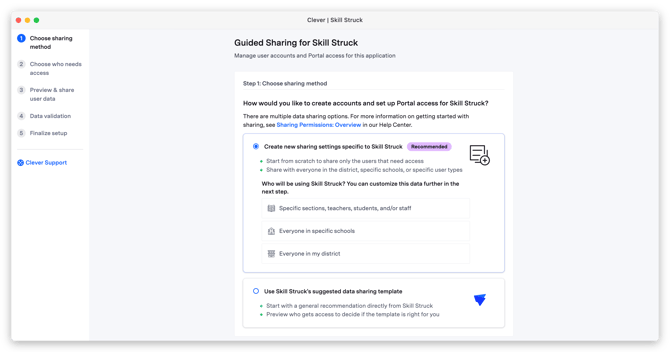
Districts can share data with Skill Struck in multiple ways, but we recommend managing your own sharing rules within Clever for maximum data control. Although Skill Struck can add filters, it may restrict your ability to modify rules later. We do not use a default template, so please choose "Create new sharing settings specific to Skill Struck" during setup.
Before you begin:
Please confirm that your District Admin and Skill Struck Customer Success Manager have aligned on the data-sharing rules from your Success Meeting. If your configuration isn't finalized, please email your CSM or schedule a meeting before proceeding.
There are three options to choose from within this selection:
- Specific sections, teachers, students, and/or staff
- Everyone in specific schools
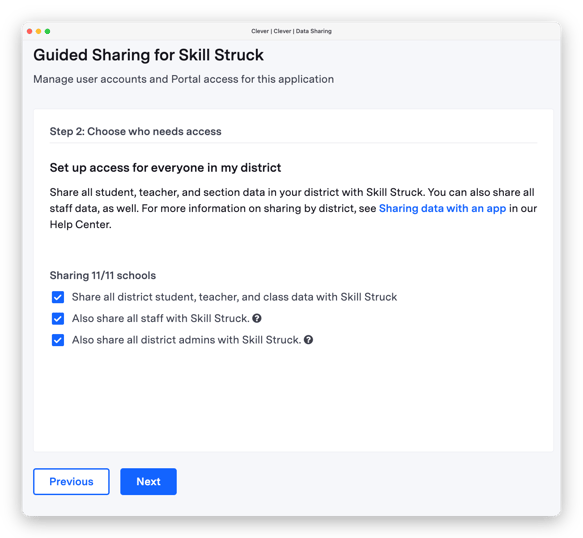
- Everyone in my district (Skill Struck will add filters to reduce data if needed)
All three options allow Skill Struck to add custom filters later if your district's sharing requirements change.
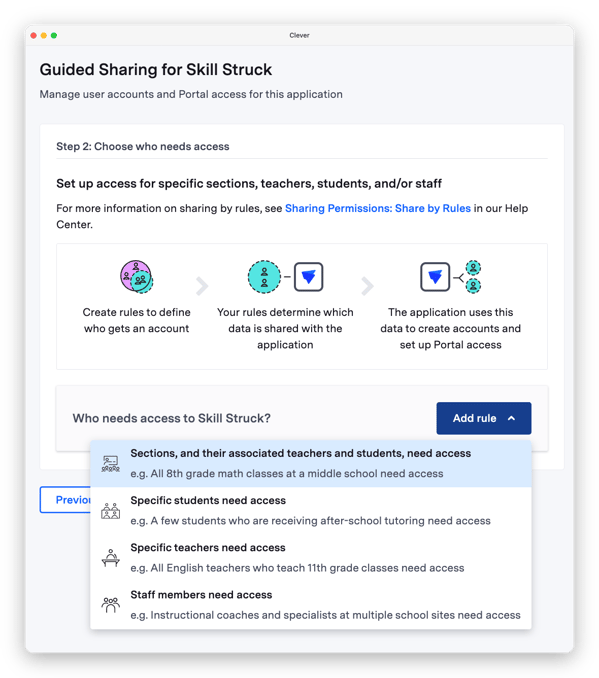
Specific sections, teachers, students, and/or staff
When adding new rules, the following options to choose from are:
Clever Article For Reference - Sharing Permissions: Share by Rules
** Commonly Used with Skill Struck
- Sections, and their associated teachers and students, need access **
- Specific students need access
- Specific teachers need access **
- Staff members need access **
After sharing, please pay attention if there are any errors or warnings. Check bottom of page for warnings screenshot.
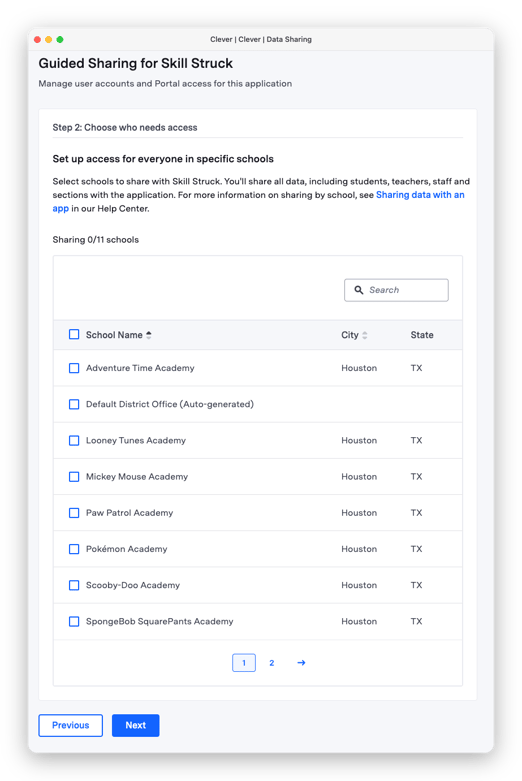
Everyone in specific schools
Clever Article for Reference - Sharing Permissions: Overview
Everyone in my district
This option is typically used by districts with full district access and no site limitations. While you can share all district data and have Skill Struck apply filters on our end, this is not our recommended approach. Managing your own sharing rules within Clever provides you with maximum data control and flexibility.
After sharing, please pay attention if there are any errors or warnings. Check bottom of page for warnings screenshot.
Warnings